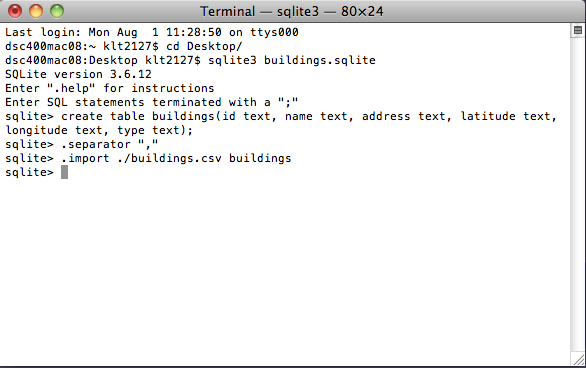
- Database Name: MyCircle, Table Name: Friends
- |ID|Name |Age|
| 1 |Nitin | 21 |
| 2 |Kaka | 22 |
| 3 |Ganesh| 20 |
- Synatx: delete from table_name [where expr..];
- delete from Friends where id=1;
- output:
| 2 |Kaka | 22 |
| 3 |Ganesh| 20 |
SQLite query for display result in descending order
Write the SQLite query for display result in descending order(Display the age column as a descending order query)
- Database Name: MyCircle, Table Name: Friends
- |ID|Name |Age|
| 1 |Nitin | 21 |
| 2 |Kaka | 22 |
| 3 |Ganesh| 20 |
| 4 |Sama | 18 |
| 5 |Pavan | 16 |
| 6 |Akash | 10 |
| 7 |Gopi | 08 |
| 8 |Rushi | 04 |
| 9 |Didi | 03 |
- select * from Friends order by Age desc;
- output
| 2 |Kaka | 22 |
| 1 |Nitin | 21 |
| 3 |Ganesh| 20 |
| 4 |Sama | 18 |
| 5 |Pavan | 16 |
| 6 |Akash | 10 |
| 7 |Gopi | 08 |
| 8 |Rushi | 04 |
| 9 |Didi | 03 |
creating SQLite3 database using mac Terminal.
How to create SQLite3 database using mac Terminal.

- 1. Using spotlight(press the cmd+space) search the terminal, Terminal its a default editor available in mac. or in the Menu go on Application -> Terminal.
- 2.First select the location where you want save your database file. i choose desktop. then type the command CD Desktop (semicolon ; not require).
- 3. type the command “SQlite3 database_name.sqlite” and press enter. for your understanding purpose i create database name as MyCircle.
ex – SQLite3 MyCircle.sql
*note: you can give extension of your database file as .sql,.sqlite,.db
- 4. after creating the database for using .databases command you can show the list of databases.
ex – .databases;
- 5. after if u create successful database then required to go for create the table for storing and manage the data.
ex. create table Table_Name(field_name1, type, field_name2 type,fild_n type_n); (After writing query must and should semicolon ; required otherwise execution time you get output like…>)
ex. create table Friends(ID integer primary key autoincrement, Name varchar(60), Age int);
*note :- this Friends table belong to MyCircle database.
- 6.After without any error creating table you need for feel the some data in that table then go for insert statement.
ex. insert into table_name values(value1,value2,value_n);
*note :- fill the value as per datatype. if datatype is varchar then require data in single qoute ‘ ‘ where as integer type no required.
ex. insert into Friends values(1,’Nitin’,21);
explanation:- ID is 1, Name type as a varchar then require ‘Nitin’.
configuration of SQLite
What are the default configuration of SQLite
- The compiled SQLite library is less than 700KB on most platfroms and requires less than 4 MB of memory to operate.
- The library can often be trimmed to 300 KB or less. With minor configuration changes, the library can be made to function on less than 256 KB of memory, making its total footprint not much more than half a megabyte, plus data storage.